Using Looma
Homepage
From the Looma’s homepage, you can :
Navigate to the settings page
Control existing devices
Add new devices
Homepage overview
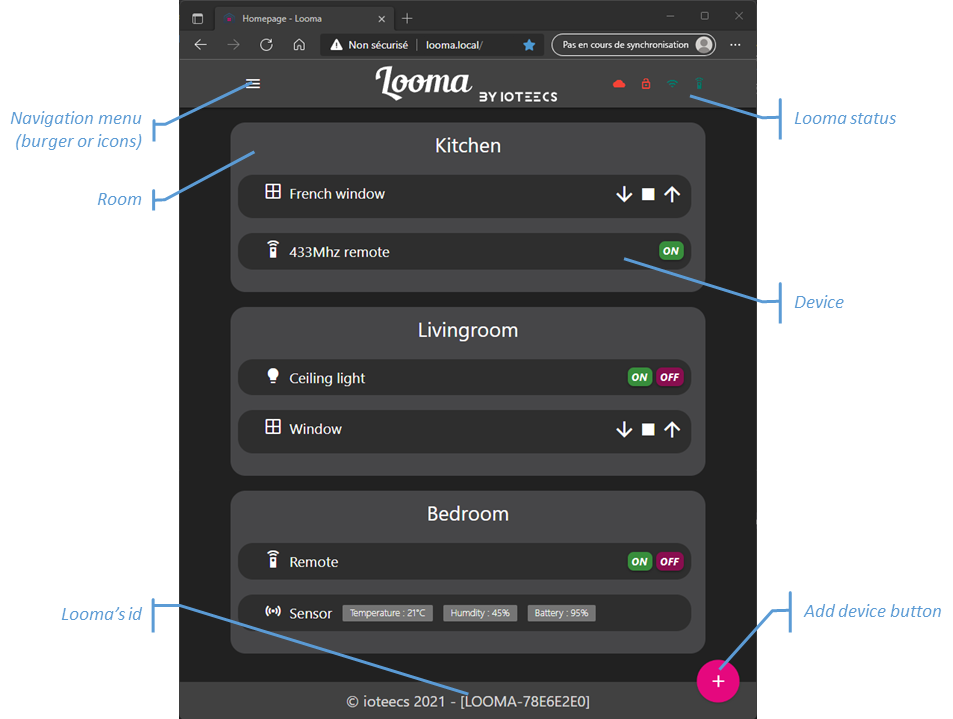
Looma’s homepage looks like the screen capture below :
Adding a new device
On the homepage, just click on the ‘+’ sign and choose which device to add.
Somfy RTS
Dio
Device selection
Learn
And follow the wizard for Somfy RTS, Dio and Selection. If MQTT is not activated, you can’t specify a user-defined topic during the creation process. To activate MQTT, you have to go to MQTT configuration.
To Learn RF 433Mhz code, select the loupe.
A popin should appear, indicating that Looma is in receive and learn mode.
Just press the button on the remote you want to add. If detected, Looma asks you if you want to add another button.
When you have added all the buttons, a summary screen is show where you can test the commands and if one of them doesn’t work properly, you can redifine it. Do not delete it if you want to keep it with you device.
Somfy RTS
You have to fill the following fields : * Device name * Rooms * Model * Topic (this field appears only if MQTT is activated)
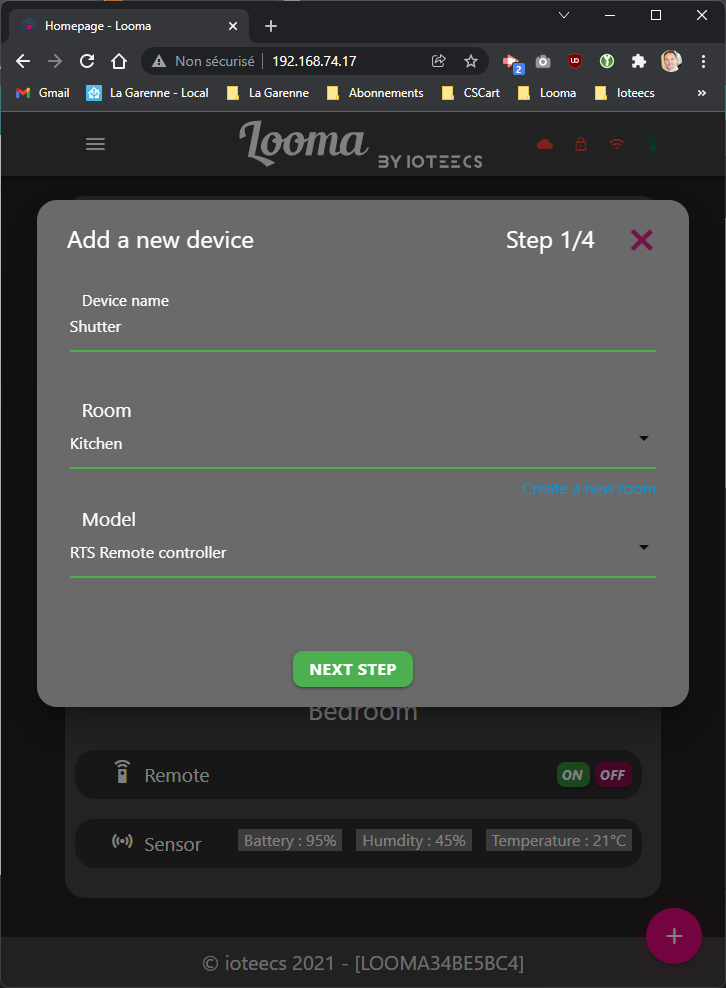
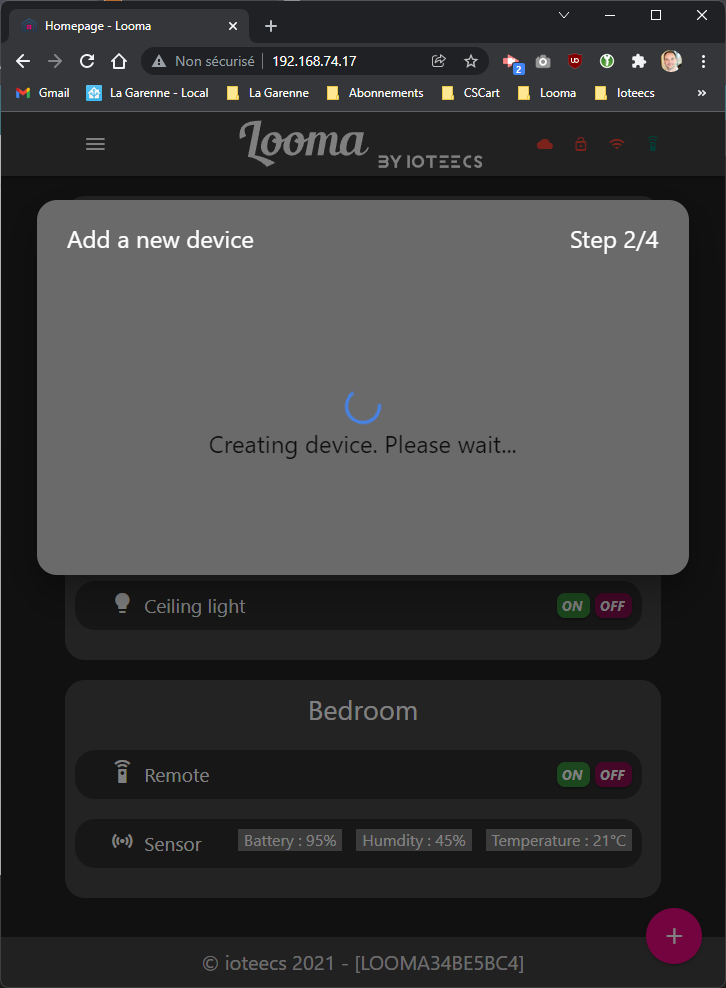
Once done, click the “Next Step” button to create the device in the database. When the device has been created, you can pair the virtual device with your physical device.
To do this, you have to press the pairing button on your original remote controller. Your shutter should go down and up to indicate it is in pairing/unpairing mode.
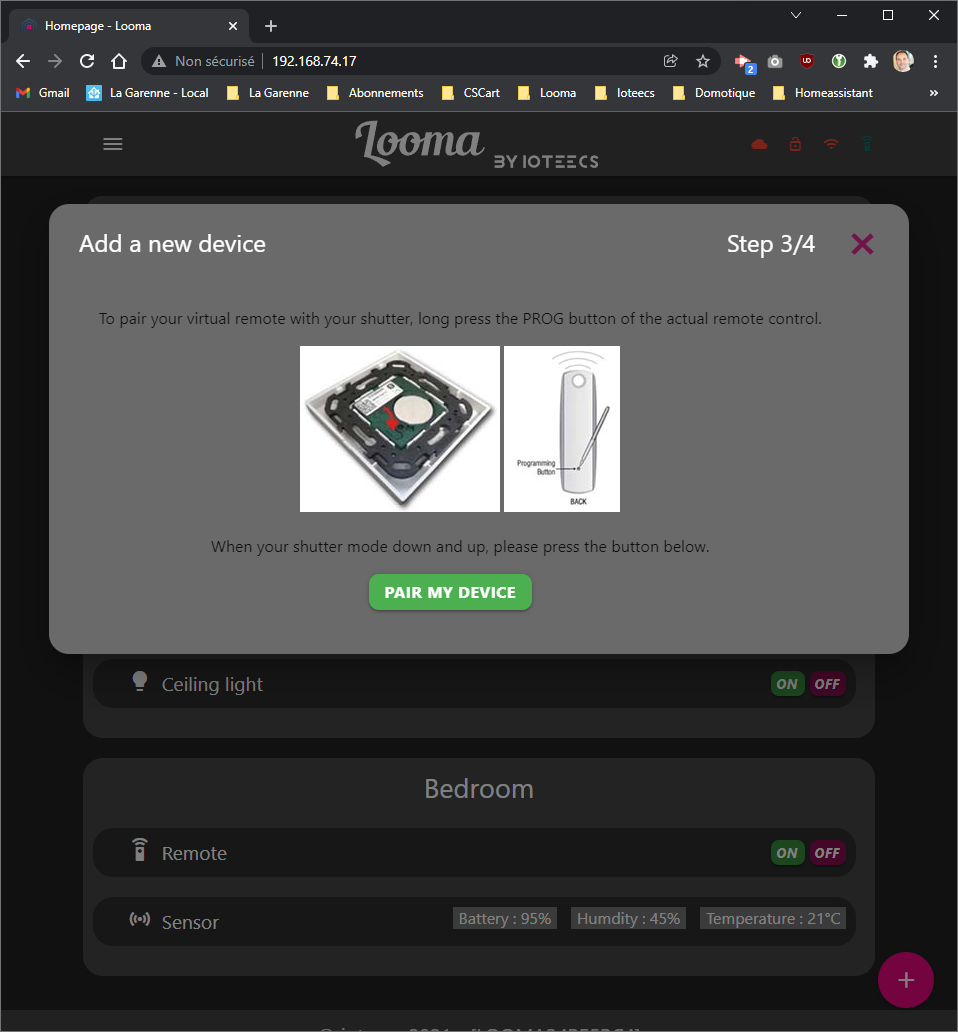
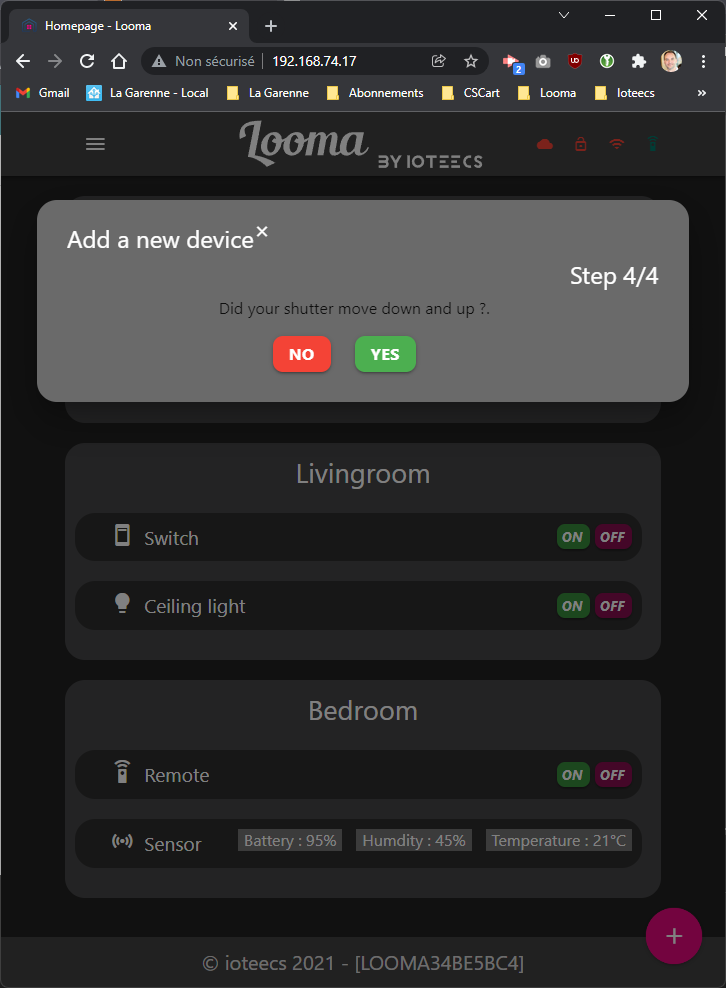
Now, you can click on the “Pair my device” button. Your shutter should go down and up. A new window appears to ask you if the shutter has been moving. If so, click yes to finish the pairing process.
Settings
From the Looma’s settings page, you can :
Modify the Wi-Fi credentials
Configure MQTT services
Configure Rooms
Configure devices
Get information on Looma
Wi-Fi credentials
Coming soon
MQTT configuration
Looma is able to connect to an MQTT server such as Apache Mosquitto. By default, the service is not able.
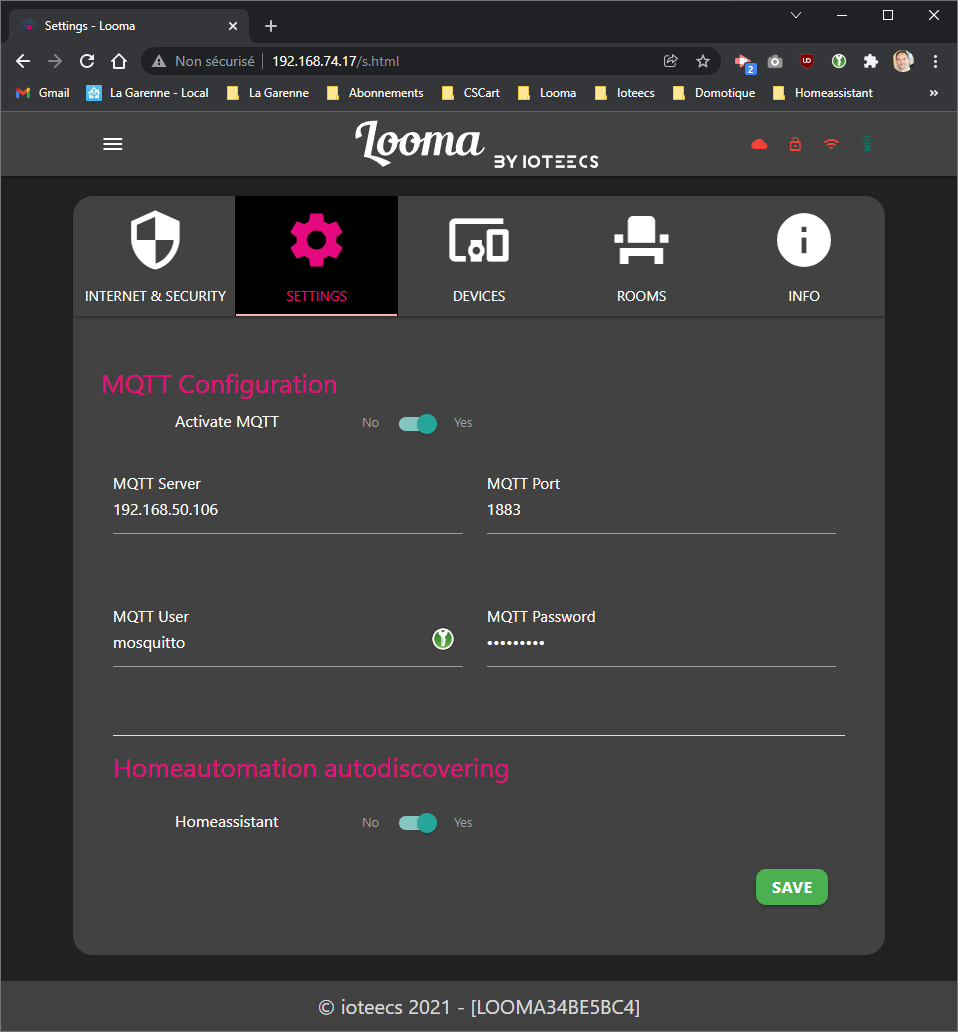
You need to provide the IP address,the port and the credentials of you MQTT server. If you’re using Home Assistant, you can also activate the auto discovery. In ths case, the configured devices in Looma will automatically be added to Home Assistant.
Rooms configuration
Coming soon
Devices configuration
Coming soon
Looma information
Coming soon